Discover essential audio visual basics for events and learn how to plan smarter, avoid mishaps, and create memorable experiences.
TL;DR:
• Understanding core AV equipment and matching it to your event size and venue is essential for a successful experience. Proper pre-event testing, assigning roles, and troubleshooting procedures help ensure smooth operation and guest satisfaction. Investing in professional AV support and engaging add-ons creates memorable events that guests will enjoy and remember.
Poor sound at a wedding reception. A projector that won’t connect five minutes before a corporate keynote. Lighting so flat it kills the mood before the first song plays. These aren’t rare disasters. They happen constantly at events across New York City and New Jersey, and almost always, the root cause isn’t bad luck. It’s a gap in AV knowledge. Understanding audio visual basics gives you the confidence to plan smarter, ask better questions, and avoid the pitfalls that turn well-organized events into frustrating memories.
• Core audio visual equipment every event needs
• How to match AV setups to your event type and venue
• Setups, operation, and troubleshooting: what to know before event day
• Enhancing experiences: entertainment add-ons and engagement tools
• The AV edge: what experts wish more event planners knew
• Seamless AV solutions for NYC and NJ events
| Point | Details |
|---|---|
| AV is foundational | Good audio and visuals are essential for creating memorable and impactful events. |
| Tailor to space and goals | Match AV setups to both your venue’s specifics and the type of event you’re hosting. |
| Plan and test early | Advance setup, assigned support roles, and pre-event testing reduce day-of stress. |
| Enhance engagement | Entertainment add-ons like DJs and photo booths significantly boost guest experience. |
With the scope set, let’s break down exactly what audio visual tools are truly essential and what each one does for your event.
As any experienced event professional will tell you, AV equipment can make or break the event experience. The key is knowing what each component does before you rent or request it.
Here are the core pieces you’ll encounter at most events:
• Microphones: Handheld mics work well for emcees and speakers. Lapel (lavalier) mics are better for presenters who need to move freely. Wireless systems eliminate cable clutter but require frequency management.
• Speakers: Passive speakers need a separate amplifier. Active (powered) speakers have built-in amps and are easier to deploy quickly. Line array systems distribute sound evenly in large rooms.
• Mixers: A mixer (also called a mixing board or audio console) controls volume levels and sound quality from multiple input sources. Even a small event benefits from one.
• Projectors and screens: Standard throw projectors work in most ballrooms. Short-throw models handle tight spaces. Screens should be sized to your room. A 100-inch screen in a 300-person venue is barely visible from the back.
• Lighting: Uplighting adds color and atmosphere to walls and corners. Stage wash lighting ensures performers and speakers are clearly visible. Intelligent moving lights create dynamic effects for high-energy events.
Understanding how these components interact matters just as much as knowing what they are individually. Pairing the wrong speaker with an underpowered mixer, for example, produces distortion. Adding engaging DJ visuals to your setup requires compatible video output from your DJ controller or laptop.
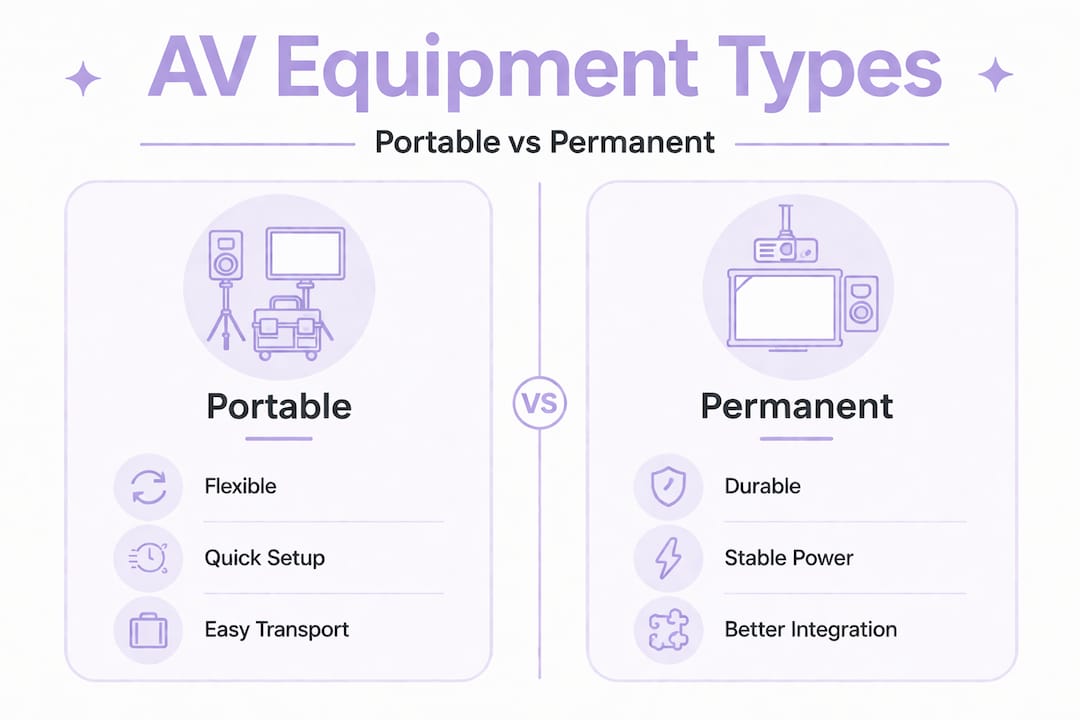
| Feature | Portable equipment | Installed/permanent equipment |
|---|---|---|
| Flexibility | High, moves between venues | Fixed, optimized for one space |
| Setup time | 1-3 hours typically | Minimal (already in place) |
| Sound quality | Good to excellent | Often excellent, venue-tuned |
| Cost | Rental fee per event | May be included in venue cost |
| Control | You choose the spec | Limited to what’s installed |
Pro Tip: Always confirm compatibility between devices before event day. Bring a short list of connector types (XLR, TRS, HDMI, RCA) and ask your rental provider which cables and adapters are included with each piece of gear.
Now that you know what equipment exists, the next step is choosing what’s right for your crowd, space, and ambition.
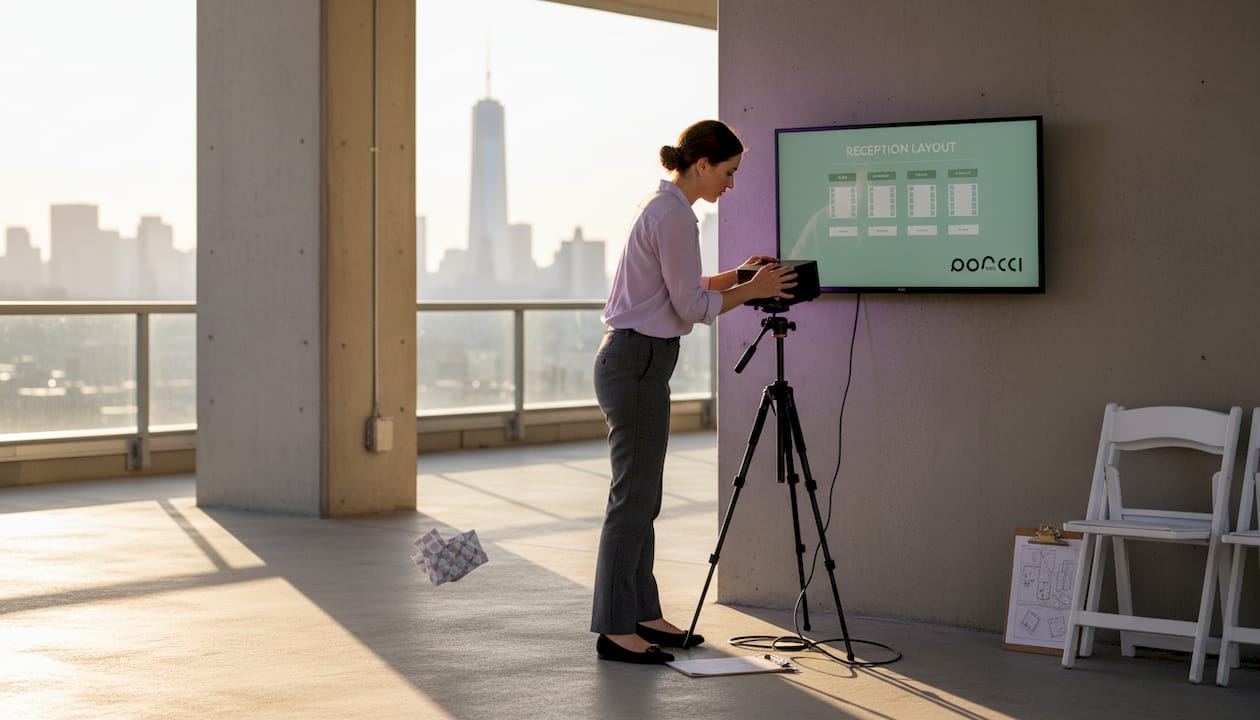
Venue size and layout dramatically shape AV choices for both sound and visuals. A rooftop venue in Hoboken with open-air exposure needs far more speaker power than a soundproofed conference room in Midtown Manhattan. NYC and NJ venues come with their own set of challenges: structural columns that block sightlines, low ceilings that cause sound to bounce, narrow load-in doors that limit equipment size, and older buildings with limited electrical capacity.
Here’s a quick reference for matching AV to event type:
| Event type | Typical guests | Recommended setup |
|---|---|---|
| Corporate presentation | 20-100 | Wireless mic, projector, 2 front speakers |
| Wedding reception | 80-200 | DJ system, uplighting, wireless mics, dance floor lighting |
| Bar/bat mitzvah | 100-300 | Full DJ rig, LED lighting, photo booth, multiple speaker zones |
| Private birthday party | 30-80 | Bluetooth or powered speakers, basic lighting, karaoke option |
| Community event | 200+ | Line array speakers, stage wash, multiple mics, large screen |
Follow these steps to match your AV needs with a specific venue:
1. Get the floor plan. Request a diagram from the venue showing room dimensions, ceiling height, and outlet locations.
2. Identify power availability. Confirm available circuit amperage. Large speaker systems and lighting rigs can draw 20-40 amps combined.
3. Walk the sightlines. Stand at the back and sides of the room. Identify any columns or partitions that block speaker projection or screen visibility.
4. Account for ambient noise. Venues near subway lines, busy streets, or open courtyards require higher-output speakers to compete with background sound.
5. Match the mic count to the program. If you have a ceremony, a speaker panel, and a DJ, that’s at least three separate microphone needs.
Pro Tip: Visit the location in advance to spot acoustic or lighting issues. Even a 20-minute walkthrough before booking your gear saves hours of troubleshooting on event day.
Once you’ve matched the gear to your event, it’s time to focus on making sure everything runs smoothly when it matters most.
Smooth show flow depends on pre-event testing and clear roles for AV tasks. Without that structure, even well-chosen equipment creates chaos.
“Nearly 70% of event delays are linked to AV setup or glitches.” This statistic alone justifies building serious preparation time into your event timeline.
Before the event, assign dedicated roles:
• Sound operator: Manages mic levels, music transitions, and speaker output.
• Lighting tech: Controls the lighting board and adjusts scenes throughout the event.
• Playback coordinator: Queues music, video presentations, or slideshows.
• AV point of contact: Liaises between your team and the rental provider or venue tech.
Build a pre-event AV checklist that includes confirming all cables are connected, testing every microphone, running the projector or screen at full brightness, and verifying that music plays from the correct source. Do this at least 90 minutes before guests arrive.
When something goes wrong during the event, here’s a reliable troubleshooting sequence:
1. No sound from a mic: Check the battery first, then the channel on the mixer, then the cable connection.
2. Projector not displaying: Confirm the input source matches the connected device. Restart the projector if needed.
3. Feedback (loud squealing sound): Lower the mic gain immediately, then reposition the mic away from speakers.
4. Lighting not responding: Check the power supply and confirm the control cable is seated properly in the dimmer pack.
Use this sound system setup guide for deeper coverage of speaker placement and cable management.
Pro Tip: Have extra batteries, cables, and adapters onsite. A $15 backup XLR cable or a spare AA battery can rescue a moment that would otherwise bring your event to a halt.
After mastering the basics, you can use AV technology to spark excitement and create memorable moments for your guests.
Interactive entertainment tools increase guest engagement in measurable ways. In fact, events with interactive AV components see 30% or more longer guest stays compared to events that rely solely on passive formats like slide presentations or background music.
Here’s what each popular add-on delivers:
• DJ services: A skilled DJ does more than play music. They read the crowd, manage transitions, and keep energy levels consistent throughout the event. Combined with quality speakers and lighting, a DJ transforms any room.
• Karaoke systems: Multilingual karaoke setups are particularly popular for diverse guest lists in NYC and NJ. Guests love participating, and the engagement carries through the entire event.
• Photo booths: Modern photo booths with instant printing and digital sharing options give guests a tangible memory. They also create a natural gathering point that reduces dead zones in your venue layout.
• LED uplighting and intelligent lighting: Strategic color washes and programmable light scenes do more than look good. They guide attention, reinforce your event theme, and signal transitions (like dinner to dancing) without anyone needing to make an announcement.
The ROI on experience-layer investments is real. Guests who stay longer spend more, engage more, and share more on social media. Spending an extra $300-$500 on an entertainment upgrade often delivers more perceived value than doubling your floral budget.
Here’s something we’ve seen repeatedly across hundreds of events in New York and New Jersey: the clients who struggle most with AV aren’t the ones with the smallest budgets. They’re the ones who treat AV as an afterthought rather than a core part of the event plan.
Many planners try to cut costs on AV by renting the cheapest available option or skipping professional setup. The result is almost always a bigger disappointment than the money saved. A distorted speaker system or a mic that keeps dropping signal damages the perception of the entire event, regardless of how beautiful the décor looks.
One of the most underestimated problems is crowd noise. A room with 150 people talking, laughing, and clinking glasses generates significant ambient sound. Speakers that sounded great during soundcheck at noon may completely disappear under that noise by 7 PM. Always size your sound system slightly above your estimated need.
Power is the other silent killer. NYC buildings, especially older ones in Brooklyn, the Bronx, or pre-war Manhattan, often have limited circuit access. We’ve seen lighting rigs trip breakers mid-event because nobody checked the load in advance.
Here’s an actionable tip most guides skip: build a 10-minute tech break into your run-of-show. Schedule it as a buffer between your ceremony or presentation and the main reception. That window lets your AV team make adjustments, swap a mic, or reset a lighting cue without guests noticing.
And the real insight? The best AV work is invisible. You can explore this idea further in our event sound systems breakdown. When guests leave talking about how great the vibe was, that’s the AV doing its job perfectly.
Equipped with this knowledge, your next event can go from stressful to smooth. At Porcci NYC, we offer a full range of NYC AV rentals including sound systems, lighting packages, and microphone setups for events of every size across New York City and New Jersey. Need music that moves the crowd? Our DJ services NYC team handles everything from setup to final song. Want a crowd-pleasing focal point? Our photo booth rentals deliver instant prints and digital sharing your guests will love. Request a quote today and let us build a tailored package that covers every detail.
Verify equipment compatibility, venue size, and electrical access to avoid setup issues. Venue particulars impact AV choices significantly, so confirm specs with your rental provider before finalizing your order.
At least one person should monitor sound and visuals throughout to quickly handle any problems. Critical AV roles prevent the kind of delays that frustrate guests and throw off your event timeline.
Photo booths, DJ services, and interactive lighting are the top engagement drivers at events. Interactive AV tools increase engagement and encourage guests to stay longer and participate more actively.
Book 4 to 8 weeks in advance to secure your preferred equipment and setup times. Popular weekends in spring and fall fill up quickly, especially for weddings and corporate events across the NYC metro area.
Discover essential audio visual basics for events and learn how to plan smarter, avoid mishaps, and create memorable experiences.
TL;DR:
• Understanding core AV equipment and matching it to your event size and venue is essential for a successful experience. Proper pre-event testing, assigning roles, and troubleshooting procedures help ensure smooth operation and guest satisfaction. Investing in professional AV support and engaging add-ons creates memorable events that guests will enjoy and remember.
Poor sound at a wedding reception. A projector that won’t connect five minutes before a corporate keynote. Lighting so flat it kills the mood before the first song plays. These aren’t rare disasters. They happen constantly at events across New York City and New Jersey, and almost always, the root cause isn’t bad luck. It’s a gap in AV knowledge. Understanding audio visual basics gives you the confidence to plan smarter, ask better questions, and avoid the pitfalls that turn well-organized events into frustrating memories.
• Core audio visual equipment every event needs
• How to match AV setups to your event type and venue
• Setups, operation, and troubleshooting: what to know before event day
• Enhancing experiences: entertainment add-ons and engagement tools
• The AV edge: what experts wish more event planners knew
• Seamless AV solutions for NYC and NJ events
| Point | Details |
|---|---|
| AV is foundational | Good audio and visuals are essential for creating memorable and impactful events. |
| Tailor to space and goals | Match AV setups to both your venue’s specifics and the type of event you’re hosting. |
| Plan and test early | Advance setup, assigned support roles, and pre-event testing reduce day-of stress. |
| Enhance engagement | Entertainment add-ons like DJs and photo booths significantly boost guest experience. |
With the scope set, let’s break down exactly what audio visual tools are truly essential and what each one does for your event.
As any experienced event professional will tell you, AV equipment can make or break the event experience. The key is knowing what each component does before you rent or request it.
Here are the core pieces you’ll encounter at most events:
• Microphones: Handheld mics work well for emcees and speakers. Lapel (lavalier) mics are better for presenters who need to move freely. Wireless systems eliminate cable clutter but require frequency management.
• Speakers: Passive speakers need a separate amplifier. Active (powered) speakers have built-in amps and are easier to deploy quickly. Line array systems distribute sound evenly in large rooms.
• Mixers: A mixer (also called a mixing board or audio console) controls volume levels and sound quality from multiple input sources. Even a small event benefits from one.
• Projectors and screens: Standard throw projectors work in most ballrooms. Short-throw models handle tight spaces. Screens should be sized to your room. A 100-inch screen in a 300-person venue is barely visible from the back.
• Lighting: Uplighting adds color and atmosphere to walls and corners. Stage wash lighting ensures performers and speakers are clearly visible. Intelligent moving lights create dynamic effects for high-energy events.
Understanding how these components interact matters just as much as knowing what they are individually. Pairing the wrong speaker with an underpowered mixer, for example, produces distortion. Adding engaging DJ visuals to your setup requires compatible video output from your DJ controller or laptop.
| Feature | Portable equipment | Installed/permanent equipment |
|---|---|---|
| Flexibility | High, moves between venues | Fixed, optimized for one space |
| Setup time | 1-3 hours typically | Minimal (already in place) |
| Sound quality | Good to excellent | Often excellent, venue-tuned |
| Cost | Rental fee per event | May be included in venue cost |
| Control | You choose the spec | Limited to what’s installed |
Pro Tip: Always confirm compatibility between devices before event day. Bring a short list of connector types (XLR, TRS, HDMI, RCA) and ask your rental provider which cables and adapters are included with each piece of gear.
Now that you know what equipment exists, the next step is choosing what’s right for your crowd, space, and ambition.
Venue size and layout dramatically shape AV choices for both sound and visuals. A rooftop venue in Hoboken with open-air exposure needs far more speaker power than a soundproofed conference room in Midtown Manhattan. NYC and NJ venues come with their own set of challenges: structural columns that block sightlines, low ceilings that cause sound to bounce, narrow load-in doors that limit equipment size, and older buildings with limited electrical capacity.
Here’s a quick reference for matching AV to event type:
| Event type | Typical guests | Recommended setup |
|---|---|---|
| Corporate presentation | 20-100 | Wireless mic, projector, 2 front speakers |
| Wedding reception | 80-200 | DJ system, uplighting, wireless mics, dance floor lighting |
| Bar/bat mitzvah | 100-300 | Full DJ rig, LED lighting, photo booth, multiple speaker zones |
| Private birthday party | 30-80 | Bluetooth or powered speakers, basic lighting, karaoke option |
| Community event | 200+ | Line array speakers, stage wash, multiple mics, large screen |
Follow these steps to match your AV needs with a specific venue:
1. Get the floor plan. Request a diagram from the venue showing room dimensions, ceiling height, and outlet locations.
2. Identify power availability. Confirm available circuit amperage. Large speaker systems and lighting rigs can draw 20-40 amps combined.
3. Walk the sightlines. Stand at the back and sides of the room. Identify any columns or partitions that block speaker projection or screen visibility.
4. Account for ambient noise. Venues near subway lines, busy streets, or open courtyards require higher-output speakers to compete with background sound.
5. Match the mic count to the program. If you have a ceremony, a speaker panel, and a DJ, that’s at least three separate microphone needs.
Pro Tip: Visit the location in advance to spot acoustic or lighting issues. Even a 20-minute walkthrough before booking your gear saves hours of troubleshooting on event day.
Once you’ve matched the gear to your event, it’s time to focus on making sure everything runs smoothly when it matters most.
Smooth show flow depends on pre-event testing and clear roles for AV tasks. Without that structure, even well-chosen equipment creates chaos.
“Nearly 70% of event delays are linked to AV setup or glitches.” This statistic alone justifies building serious preparation time into your event timeline.
Before the event, assign dedicated roles:
• Sound operator: Manages mic levels, music transitions, and speaker output.
• Lighting tech: Controls the lighting board and adjusts scenes throughout the event.
• Playback coordinator: Queues music, video presentations, or slideshows.
• AV point of contact: Liaises between your team and the rental provider or venue tech.
Build a pre-event AV checklist that includes confirming all cables are connected, testing every microphone, running the projector or screen at full brightness, and verifying that music plays from the correct source. Do this at least 90 minutes before guests arrive.
When something goes wrong during the event, here’s a reliable troubleshooting sequence:
1. No sound from a mic: Check the battery first, then the channel on the mixer, then the cable connection.
2. Projector not displaying: Confirm the input source matches the connected device. Restart the projector if needed.
3. Feedback (loud squealing sound): Lower the mic gain immediately, then reposition the mic away from speakers.
4. Lighting not responding: Check the power supply and confirm the control cable is seated properly in the dimmer pack.
Use this sound system setup guide for deeper coverage of speaker placement and cable management.
Pro Tip: Have extra batteries, cables, and adapters onsite. A $15 backup XLR cable or a spare AA battery can rescue a moment that would otherwise bring your event to a halt.
After mastering the basics, you can use AV technology to spark excitement and create memorable moments for your guests.
Interactive entertainment tools increase guest engagement in measurable ways. In fact, events with interactive AV components see 30% or more longer guest stays compared to events that rely solely on passive formats like slide presentations or background music.
Here’s what each popular add-on delivers:
• DJ services: A skilled DJ does more than play music. They read the crowd, manage transitions, and keep energy levels consistent throughout the event. Combined with quality speakers and lighting, a DJ transforms any room.
• Karaoke systems: Multilingual karaoke setups are particularly popular for diverse guest lists in NYC and NJ. Guests love participating, and the engagement carries through the entire event.
• Photo booths: Modern photo booths with instant printing and digital sharing options give guests a tangible memory. They also create a natural gathering point that reduces dead zones in your venue layout.
• LED uplighting and intelligent lighting: Strategic color washes and programmable light scenes do more than look good. They guide attention, reinforce your event theme, and signal transitions (like dinner to dancing) without anyone needing to make an announcement.
The ROI on experience-layer investments is real. Guests who stay longer spend more, engage more, and share more on social media. Spending an extra $300-$500 on an entertainment upgrade often delivers more perceived value than doubling your floral budget.
Here’s something we’ve seen repeatedly across hundreds of events in New York and New Jersey: the clients who struggle most with AV aren’t the ones with the smallest budgets. They’re the ones who treat AV as an afterthought rather than a core part of the event plan.
Many planners try to cut costs on AV by renting the cheapest available option or skipping professional setup. The result is almost always a bigger disappointment than the money saved. A distorted speaker system or a mic that keeps dropping signal damages the perception of the entire event, regardless of how beautiful the décor looks.
One of the most underestimated problems is crowd noise. A room with 150 people talking, laughing, and clinking glasses generates significant ambient sound. Speakers that sounded great during soundcheck at noon may completely disappear under that noise by 7 PM. Always size your sound system slightly above your estimated need.
Power is the other silent killer. NYC buildings, especially older ones in Brooklyn, the Bronx, or pre-war Manhattan, often have limited circuit access. We’ve seen lighting rigs trip breakers mid-event because nobody checked the load in advance.
Here’s an actionable tip most guides skip: build a 10-minute tech break into your run-of-show. Schedule it as a buffer between your ceremony or presentation and the main reception. That window lets your AV team make adjustments, swap a mic, or reset a lighting cue without guests noticing.
And the real insight? The best AV work is invisible. You can explore this idea further in our event sound systems breakdown. When guests leave talking about how great the vibe was, that’s the AV doing its job perfectly.
Equipped with this knowledge, your next event can go from stressful to smooth. At Porcci NYC, we offer a full range of NYC AV rentals including sound systems, lighting packages, and microphone setups for events of every size across New York City and New Jersey. Need music that moves the crowd? Our DJ services NYC team handles everything from setup to final song. Want a crowd-pleasing focal point? Our photo booth rentals deliver instant prints and digital sharing your guests will love. Request a quote today and let us build a tailored package that covers every detail.
Verify equipment compatibility, venue size, and electrical access to avoid setup issues. Venue particulars impact AV choices significantly, so confirm specs with your rental provider before finalizing your order.
At least one person should monitor sound and visuals throughout to quickly handle any problems. Critical AV roles prevent the kind of delays that frustrate guests and throw off your event timeline.
Photo booths, DJ services, and interactive lighting are the top engagement drivers at events. Interactive AV tools increase engagement and encourage guests to stay longer and participate more actively.
Book 4 to 8 weeks in advance to secure your preferred equipment and setup times. Popular weekends in spring and fall fill up quickly, especially for weddings and corporate events across the NYC metro area.


