Discover what an event run of show is and how it ensures flawless execution. Unveil the essential timeline for successful event planning.
A run of show (ROS) is the minute-by-minute, team-facing master timeline that tells everyone exactly what happens, when, who is responsible, and what cue triggers the next step. Think of it as the operational backbone of your event day — not the program your guests see, but the internal document your crew lives by.
You need a run of show when:
• Day-of control matters: You need every team member working from the same sequence, with no guesswork about what comes next.
• AV and technical cues are involved: Mic checks, lighting changes, video playback, and music transitions all require precise timing to the second.
• Multiple vendors must coordinate: Caterers, AV crews, photographers, and speakers each need to know their call times and handoff points.
The ROS is built for producers, stage managers, emcees, AV technicians, and event managers — anyone responsible for making the event run on time behind the scenes.
• What is an event run of show, exactly?
• How does a run of show differ from an agenda or event schedule?
• What should every run of show include?
• How to create a run of show, step by step
• A practical run of show template you can adapt
• Day-of best practices and common mistakes to avoid
• How Porcci NYC builds and uses a run of show
• What we’ve learned about run of show tradeoffs
• Porcci NYC takes the run of show off your plate
• Useful sources and further reading
• FAQ
A run of show is the internal operational roadmap that details every minute of an event’s execution, including exact timestamps, technical cues, owners, and contingency protocols. It is distinct from anything your attendees ever see. Where a printed program tells guests what to expect, the ROS tells your team what to do and precisely when to do it.
The term originated in broadcast television, where producers used it to script the flow of a live TV program. Today it applies equally to corporate conferences, gala dinners, concerts, weddings, hybrid events, and award ceremonies — any situation where timing and coordination have real consequences.
On event day, the ROS functions as the single source of truth. Every vendor, crew member, speaker, and front-of-house staff member works from it. When something changes — a speaker runs long, an AV cue shifts — the ROS is updated and redistributed so everyone stays aligned. A dedicated point person updates the document in real time throughout the event, which is why it needs to be detailed enough that anyone on the team can follow it without stopping to ask questions.
Who uses the ROS during the event:
• Production manager / show caller: Calls each cue and monitors the timeline.
• Stage manager: Coordinates speaker and performer movement on and off stage.
• AV technician: Executes lighting, sound, and video cues on command.
• Emcee / host: References timing for transitions and scripted lines.
• Vendors and front-of-house: Knows exactly when to open doors, serve courses, or activate entertainment stations.
Pro Tip: For hybrid or virtual events, add a separate column for the online production team’s cues — stream start, slide advances, and chat moderation prompts — so your in-room and virtual timelines stay synchronized.
These three documents serve different audiences and carry very different levels of detail. Confusing them is one of the most common planning mistakes, and it usually means someone gets the wrong document at the wrong time.
| Document | Audience | Purpose | Level of Detail |
|---|---|---|---|
| Run of Show | Internal crew, vendors, AV team | Operational master timeline with cues, owners, and tech notes | Minute-by-minute; includes call times, cue triggers, dependencies |
| Event Schedule | Internal planning team | High-level timeline of the event’s phases and milestones | Hourly or phase-based; no technical cues |
| Attendee Agenda | Guests | What attendees will experience and when | Session titles, speaker names, room locations — no backstage detail |
A quick way to decide which document you need: if the reader needs to do something at a specific moment, they need the ROS. If they just need to know where to be, an agenda or schedule is enough.
• Use an attendee agenda for your event app, printed programs, and registration confirmations.
• Use an event schedule for internal planning meetings and stakeholder briefings weeks before the event.
• Use a run of show for every person who has a job to execute on event day.
A solid ROS is built around a consistent set of fields. Missing even one column — like owner or dependencies — creates confusion the moment something slips. Here are the required fields and why each earns its place:
• Timestamp: The exact start time for each segment, written in 24-hour format (e.g., 14:30) to eliminate AM/PM confusion.
• Segment name: A short, clear label for the activity (e.g., “Welcome Remarks,” “Band Load-In,” “Dinner Service Begins”).
• Duration: How long the segment runs, in minutes. This lets the show caller track cumulative time and spot overruns early.
• Owner: The named individual responsible for executing the segment — not a department, a person. “Sarah (AV Lead)” beats “AV team” every time.
• Cue: The specific trigger that starts the segment (e.g., “House lights to 30% on emcee’s last word”).
• AV / tech notes: Microphone type, slide deck file name, video playback source, lighting preset number, music track title and BPM.
• Location: The room, stage area, or virtual channel where the segment takes place.
• Contacts: Cell numbers for the owner and any backup, printed directly in the row.
• Dependencies: What must be completed before this segment can start (e.g., “Catering clears tables before awards begin”).
• Status: A live field (e.g., Pending / In Progress / Complete) that the point person updates in real time to track cascade delays.
Sample row:
| Time | Segment | Duration | Owner | Cue | AV / Tech Notes | Location | Dependencies | Status |
|---|---|---|---|---|---|---|---|---|
| 18:00 | Guest Welcome / Doors Open | 15 min | Maria R. (FOH Lead) | House lights; background playlist starts | Playlist: “Arrival Mix,” channel 3; mic check complete | Main Ballroom | Venue setup confirmed by 18:30 | Pending |
Pro Tip: Add a “Communications” column that maps each internal cue to its attendee-facing message — emcee line, app push notification, or digital signage update. This prevents missed announcements when the production timeline and the guest experience timeline diverge.
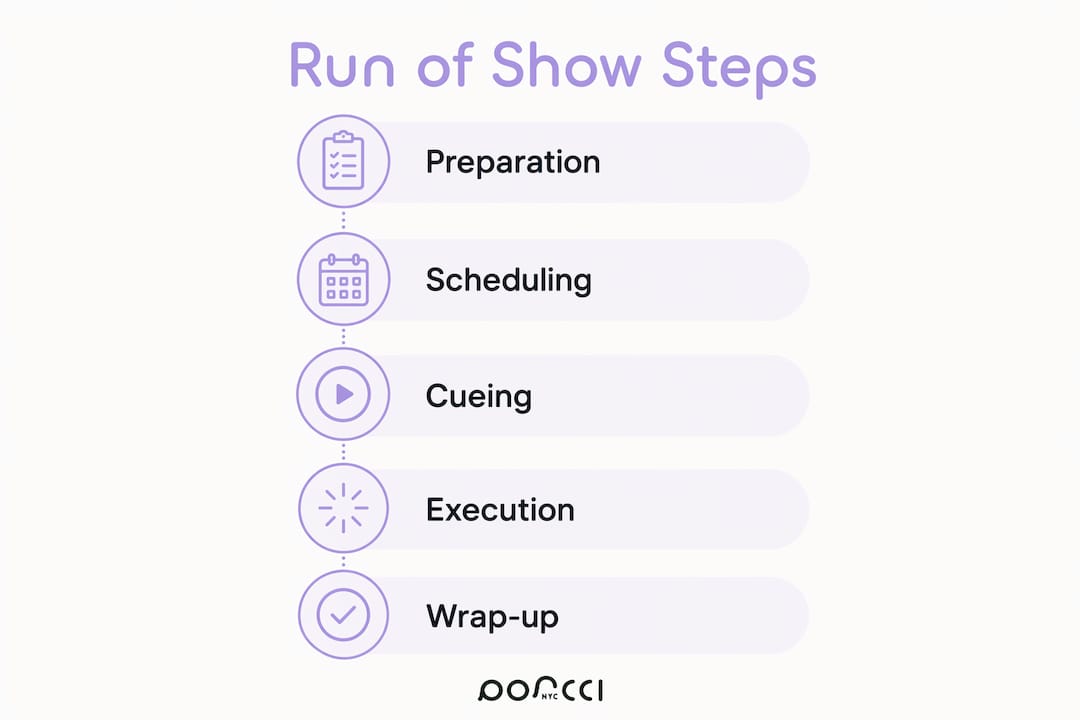
Building a reliable ROS takes deliberate sequencing. Rushing the draft or skipping the distribution step are the two most common reasons events lose time on the day.
1. Gather your inputs. Collect the confirmed venue layout, vendor contracts, speaker bios and AV requirements, catering timeline, and any entertainment cue sheets. You cannot build an accurate ROS from memory.
2. Draft the master timeline. Start with the hard anchors — venue access time, ceremony start, dinner service, and venue curfew — then fill in every segment between them. Use 24-hour times from the first draft.
3. Add technical cues and dependencies. For each segment, document the exact AV trigger, lighting preset, and any task that must finish before it can start. Refer to your AV equipment checklist to make sure no cue is missing.
4. Assign named owners. Every row gets a person’s name and cell number. No exceptions. A row without an owner is a gap waiting to become a problem.
5. Rehearse against the ROS. Walk through the timeline with your core team at least 48 hours before the event. Note every segment where the timing feels tight or a cue is ambiguous, then update the document before distributing the final version.
6. Distribute on schedule. Send the finalized ROS to all vendors, crew, and key stakeholders at least one week before the event. Speakers and performers should receive their individual call-time summaries 72 hours out. On event day, share a live link — not a PDF attachment — so updates reach everyone instantly.
7. Update in real time on event day. Assign one person to own the live document. Every change — a speaker running five minutes long, a cue shifted — gets logged immediately with a timestamp.
Distribution checklist:
• 1 week out: Full ROS to venue coordinator, AV crew, catering manager, security, and all vendors.
• 72 hours out: Individual call-time sheets to speakers, performers, and VIP guests.
• Day of: Live shared link (Google Sheets or equivalent) to all crew; printed backup for show caller and stage manager.
Pro Tip: Name your file with the event date and a version number (e.g., “GalaDinner_2026-09-12_v4”) and keep a single shared link rather than emailing new attachments. Anyone opening the link always sees the current version.
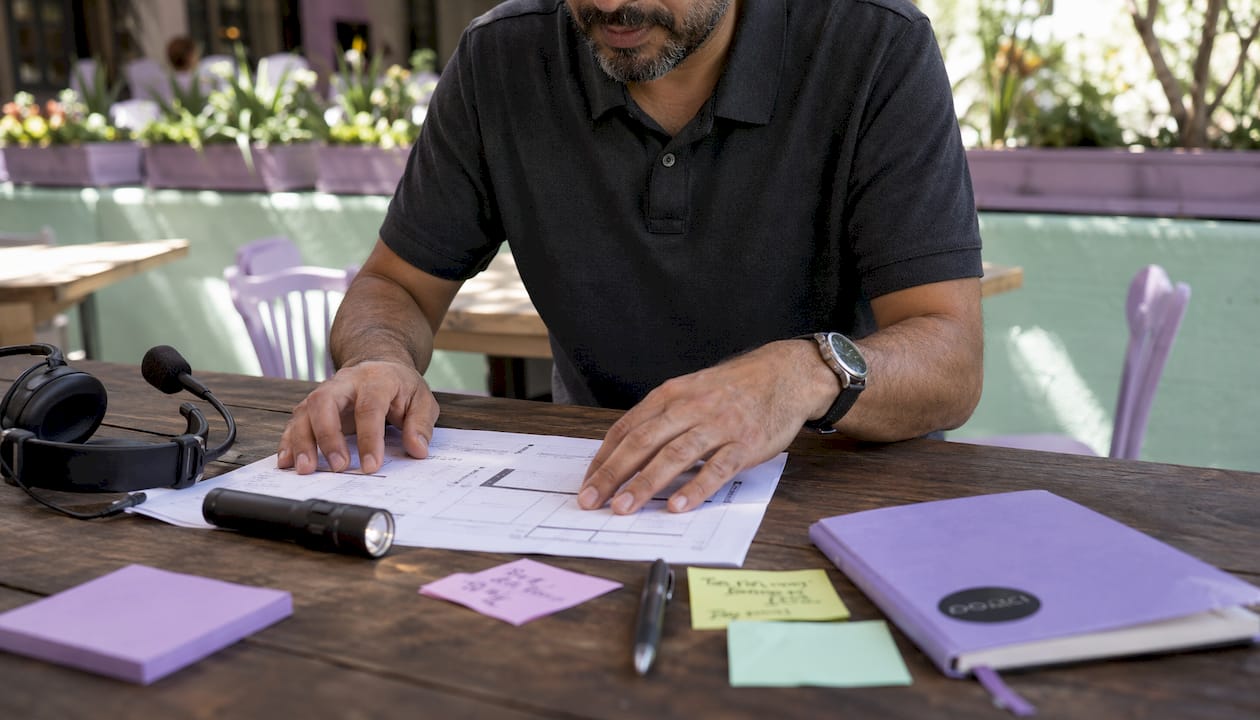
The layout below works for most events. Copy it into Google Sheets, Notion, or Airtable, then add or remove columns based on your event type. For a show-calling sheet, strip it down to just Time, Cue, and Owner so the stage manager can scan it in seconds.
| Time | Segment | Duration | Owner | Cue | AV / Tech Notes | Location | Status |
|---|---|---|---|---|---|---|---|
| 15:00 | Crew Call / Load-In | — | James T. (Production) | Venue access confirmed | PA system test; lighting rig check | Loading Dock → Stage | Pending |
| 17:30 | AV Sound Check | — | Dana K. (AV Lead) | Stage clear of crew | All mics labeled and tested; video loop running | Main Stage | Pending |
| — | Speaker Briefing | 20 min | Event Manager | AV check complete | Slide decks loaded on presentation laptop | Green Room | Pending |
Format recommendations by event type:
• Conference: Add a “Track / Room” column and a “Slide Deck File” column; color-code rows by track.
• Wedding: Add a “Vendor Contact” column and a “Photo Moment” flag column for the photographer.
• Concert: Expand the AV notes column to include monitor mix labels, lighting cue numbers, and set list order. For interactive entertainment cues, planning your show program in advance keeps the energy consistent from opener to close.
• Hybrid event: Add a “Virtual Cue” column for stream start/stop, slide advances, and Q&A moderation prompts.
For day-of printing, use landscape orientation, 11-point font minimum, and bold the timestamp column so the show caller can find their place at a glance. Always print at least two physical copies — one for the show caller, one for the stage manager — because on-site technology can and does fail.
The ROS is only as good as how your team uses it. Most day-of failures trace back to a handful of avoidable errors.
Best practices:
• Keep a single digital master — one shared link, no competing PDF versions floating around in email threads.
• Write explicit call times for crew that are separate from segment start times. If the band starts at 20:00, their call time is 18:30.
• Use 24-hour time throughout. “8:00 PM” becomes ambiguous under pressure; “20:00” does not.
• Name every owner explicitly. “AV team” is not an owner. “Carlos M. — 917-555-0142” is.
Common mistakes:
• Vague owners: Any row that says “team” or “staff” will be ignored when something goes wrong.
• Missing dependencies: If the awards segment requires catering to clear tables first, and that dependency is not in the ROS, you will be standing at the podium while servers are still collecting plates.
• Multiple outdated copies: When the show caller has version 3 and the AV lead has version 5, you have two events happening simultaneously.
Troubleshooting checklist for common day-of issues:
1. AV failure: Identify the backup source (secondary laptop, USB drive) listed in the AV notes column; the show caller announces a brief pause while the tech team switches over.
2. Speaker running long: The show caller flags the stage manager at the two-minute warning; the emcee shortens the transition script; the next segment’s start time shifts and the ROS is updated immediately.
3. Vendor no-show or late arrival: The dependencies column shows which segments are affected; the production manager contacts the backup vendor listed in the contacts column and adjusts the timeline.
Pro Tip: Before the event starts, do a five-second scan test on your ROS: hand it to someone who has not seen it and ask them to find the next cue. If they cannot do it in five seconds, the document needs better formatting — larger timestamps, bolder owner names, or fewer columns.
At Porcci NYC, the ROS is drafted by the production lead as soon as the venue layout and vendor list are confirmed — typically two to three weeks before the event. For a typical corporate gala or private party in NYC or New Jersey, the document goes through three versions before it is finalized.
Our standard workflow:
• Week 3 out: Production lead drafts the skeleton timeline with hard anchors (load-in, sound check, doors open, program end, breakdown).
• Week 2 out: AV coordinator adds mic cue labels, lighting presets, and music cue points. For events with DJ services or photo booth activations, those load-in and activation windows are locked in at this stage.
• Week 1 out: Final ROS distributed to all vendors and crew via a shared Google Sheet link. Printed copies prepared for the show caller and stage manager.
A sample snippet from a Porcci NYC corporate event ROS:
| Time | Segment | Owner | Cue | AV Notes |
|---|---|---|---|---|
| — | Load-In / Setup | James T. | Venue access confirmed | PA rig, photo booth, DJ booth setup |
| 18:00 | Mic Check | Dana K. (AV) | Setup complete | Handheld mic 1 & 2; lapel mic for emcee |
| 18:30 | Doors Open | Maria R. (FOH) | Mic check signed off | Background playlist: channel 3 |
| — | Welcome Remarks | Emcee / Client | House lights to 40% | Lapel mic live; slide 1 on screen |
On event day, one team member owns the live ROS exclusively — no other tasks. Every change is logged with a timestamp and the shared link updates for the whole crew in real time.
The run of show is the document that lets our team stay calm when something shifts. When a speaker runs long or a cue changes, everyone sees the updated timeline immediately — no radio confusion, no missed handoffs. That single shared document is what keeps a Porcci NYC event running the way the client imagined it.
A run of show is the single most important operational document for any event with moving parts — build it early, assign every row to a named owner, and distribute it at least one week out.
| Point | Details |
|---|---|
| Define it correctly | A run of show is a minute-by-minute, internal operational timeline — not the guest-facing agenda. |
| Include all required fields | Every row needs a timestamp, segment name, named owner, cue, AV notes, dependencies, and a status field. |
| Distribute one week out | Send the finalized ROS to all vendors and crew at least one week before the event; share a live link, not a PDF. |
| Keep one digital master | A single shared link prevents version conflicts; print two physical backups for the show caller and stage manager. |
| Porcci NYC handles it for you | For events in NYC and New Jersey, Porcci NYC drafts, distributes, and manages the live ROS as part of its AV and production packages. |
The most common mistake planners make is treating the ROS as a document to complete rather than a tool to use. A 40-row spreadsheet that nobody updates on event day is less useful than a 15-row cue sheet that one person owns and keeps current.
For small private events — a birthday party, a corporate happy hour — a simplified ROS with five to eight rows and three columns (time, segment, owner) is genuinely enough. Adding more columns than your team will actually read creates noise, not clarity. The goal is a document that the show caller can scan in under five seconds, not one that demonstrates thoroughness.
For complex productions — multi-stage conferences, galas with live entertainment, hybrid events with a simultaneous virtual stream — the ROS needs to expand accordingly. That means separate cue sheets for the stage manager and AV lead, a communications column mapping internal cues to attendee-facing messages, and a dependencies column that makes cascade delays visible before they happen.
Rehearsal time is where most planners cut corners, and it is the one place where cutting costs the most. Even a 30-minute walk-through with your core team, run against the actual ROS, will surface two or three timing gaps that would have caused real problems on the day. That half-hour is the best investment in the document you will make.
Planning your own ROS is absolutely doable with the right template. But if you would rather hand the production logistics to a team that does this every week across NYC and New Jersey, Porcci NYC offers full AV coordination, stage management support, and done-for-you run of show drafting as part of its event packages.
From AV and sound system rentals in NYC to DJ services, photo booths, and on-site technical staffing, we build the ROS around your specific venue, vendor list, and program — then manage it live on event day so you are not the one watching the clock. For New Jersey events, our Jersey City AV rental team handles setup, breakdown, and real-time coordination from load-in to last call.
Request a quote at porccinyc.com/quote and tell us your event date, venue, and headcount — we will come back with a package that includes the ROS as a built-in deliverable.
These resources are worth bookmarking whether you are building your first ROS or refining a production workflow you have used for years.
• Run-Sheets.com — Run of Show Guide: The most thorough free reference for ROS structure, field definitions, and the distinction between a run of show and a run sheet. Start here for templates.
• Events.org — Event Run of Show Explained: A concise industry-standard explanation of how the ROS functions across different event types.
• Bizzabo — Run of Show: Strong on the control tower concept — how the ROS integrates technical triggers with VIP logistics to prevent single points of failure in complex events.
• ExpoPass — Run of Show Template Guide: Best resource for distribution timing, owner-naming conventions, and the status column.
• Abastio — How to Create an Event Run Sheet: Practical guidance on dependencies and status columns, plus the case for always printing a physical backup.
• StageTimer — Event Rundown and Show Flow: The go-to reference for show-calling cue sheets — covers mic cues, music cues, slide advances, and verbatim script formatting for the stage manager.
• Porcci NYC — Audio Visual Basics for Events: Practical AV foundation reading that helps you fill the tech notes column accurately.
• Interactive live entertainment planning: A partner resource on timing audience interaction cues — useful for ROS entries that include Q&A, games, or live activations.
A note on templates: The most cited reason event teams skip the ROS is that building one from scratch feels time-consuming. Every source above offers a free downloadable or copy-ready template. Pick one, adapt the columns to your event type, and you will have a working draft in under an hour.
A run of show is the internal, minute-by-minute operational timeline that coordinates every team member, vendor, and technical cue from load-in to breakdown. It is the document the crew works from on event day, not the program guests see.
A complete ROS includes timestamps, segment names, durations, named owners, cue triggers, AV and tech notes, location, vendor contacts, dependencies, and a live status field. Every row should be detailed enough that any team member can execute it without asking for clarification.
“Run sheet” is the most common alternative, used widely in Australia and the UK for corporate events and weddings. Both terms refer to the same document: a timed, operational schedule for the event day.
An event agenda is attendee-facing and shows guests what sessions or activities to expect. A run of show is internal and operational, containing technical cues, crew assignments, and dependencies that guests never see.
Send the finalized ROS to all vendors, crew, and key stakeholders at least one week before the event, and distribute individual call-time summaries to speakers and performers 72 hours out.
Discover what an event run of show is and how it ensures flawless execution. Unveil the essential timeline for successful event planning.
A run of show (ROS) is the minute-by-minute, team-facing master timeline that tells everyone exactly what happens, when, who is responsible, and what cue triggers the next step. Think of it as the operational backbone of your event day — not the program your guests see, but the internal document your crew lives by.
You need a run of show when:
• Day-of control matters: You need every team member working from the same sequence, with no guesswork about what comes next.
• AV and technical cues are involved: Mic checks, lighting changes, video playback, and music transitions all require precise timing to the second.
• Multiple vendors must coordinate: Caterers, AV crews, photographers, and speakers each need to know their call times and handoff points.
The ROS is built for producers, stage managers, emcees, AV technicians, and event managers — anyone responsible for making the event run on time behind the scenes.
• What is an event run of show, exactly?
• How does a run of show differ from an agenda or event schedule?
• What should every run of show include?
• How to create a run of show, step by step
• A practical run of show template you can adapt
• Day-of best practices and common mistakes to avoid
• How Porcci NYC builds and uses a run of show
• What we’ve learned about run of show tradeoffs
• Porcci NYC takes the run of show off your plate
• Useful sources and further reading
• FAQ
A run of show is the internal operational roadmap that details every minute of an event’s execution, including exact timestamps, technical cues, owners, and contingency protocols. It is distinct from anything your attendees ever see. Where a printed program tells guests what to expect, the ROS tells your team what to do and precisely when to do it.
The term originated in broadcast television, where producers used it to script the flow of a live TV program. Today it applies equally to corporate conferences, gala dinners, concerts, weddings, hybrid events, and award ceremonies — any situation where timing and coordination have real consequences.
On event day, the ROS functions as the single source of truth. Every vendor, crew member, speaker, and front-of-house staff member works from it. When something changes — a speaker runs long, an AV cue shifts — the ROS is updated and redistributed so everyone stays aligned. A dedicated point person updates the document in real time throughout the event, which is why it needs to be detailed enough that anyone on the team can follow it without stopping to ask questions.
Who uses the ROS during the event:
• Production manager / show caller: Calls each cue and monitors the timeline.
• Stage manager: Coordinates speaker and performer movement on and off stage.
• AV technician: Executes lighting, sound, and video cues on command.
• Emcee / host: References timing for transitions and scripted lines.
• Vendors and front-of-house: Knows exactly when to open doors, serve courses, or activate entertainment stations.
Pro Tip: For hybrid or virtual events, add a separate column for the online production team’s cues — stream start, slide advances, and chat moderation prompts — so your in-room and virtual timelines stay synchronized.
These three documents serve different audiences and carry very different levels of detail. Confusing them is one of the most common planning mistakes, and it usually means someone gets the wrong document at the wrong time.
| Document | Audience | Purpose | Level of Detail |
|---|---|---|---|
| Run of Show | Internal crew, vendors, AV team | Operational master timeline with cues, owners, and tech notes | Minute-by-minute; includes call times, cue triggers, dependencies |
| Event Schedule | Internal planning team | High-level timeline of the event’s phases and milestones | Hourly or phase-based; no technical cues |
| Attendee Agenda | Guests | What attendees will experience and when | Session titles, speaker names, room locations — no backstage detail |
A quick way to decide which document you need: if the reader needs to do something at a specific moment, they need the ROS. If they just need to know where to be, an agenda or schedule is enough.
• Use an attendee agenda for your event app, printed programs, and registration confirmations.
• Use an event schedule for internal planning meetings and stakeholder briefings weeks before the event.
• Use a run of show for every person who has a job to execute on event day.
A solid ROS is built around a consistent set of fields. Missing even one column — like owner or dependencies — creates confusion the moment something slips. Here are the required fields and why each earns its place:
• Timestamp: The exact start time for each segment, written in 24-hour format (e.g., 14:30) to eliminate AM/PM confusion.
• Segment name: A short, clear label for the activity (e.g., “Welcome Remarks,” “Band Load-In,” “Dinner Service Begins”).
• Duration: How long the segment runs, in minutes. This lets the show caller track cumulative time and spot overruns early.
• Owner: The named individual responsible for executing the segment — not a department, a person. “Sarah (AV Lead)” beats “AV team” every time.
• Cue: The specific trigger that starts the segment (e.g., “House lights to 30% on emcee’s last word”).
• AV / tech notes: Microphone type, slide deck file name, video playback source, lighting preset number, music track title and BPM.
• Location: The room, stage area, or virtual channel where the segment takes place.
• Contacts: Cell numbers for the owner and any backup, printed directly in the row.
• Dependencies: What must be completed before this segment can start (e.g., “Catering clears tables before awards begin”).
• Status: A live field (e.g., Pending / In Progress / Complete) that the point person updates in real time to track cascade delays.
Sample row:
| Time | Segment | Duration | Owner | Cue | AV / Tech Notes | Location | Dependencies | Status |
|---|---|---|---|---|---|---|---|---|
| 18:00 | Guest Welcome / Doors Open | 15 min | Maria R. (FOH Lead) | House lights; background playlist starts | Playlist: “Arrival Mix,” channel 3; mic check complete | Main Ballroom | Venue setup confirmed by 18:30 | Pending |
Pro Tip: Add a “Communications” column that maps each internal cue to its attendee-facing message — emcee line, app push notification, or digital signage update. This prevents missed announcements when the production timeline and the guest experience timeline diverge.
Building a reliable ROS takes deliberate sequencing. Rushing the draft or skipping the distribution step are the two most common reasons events lose time on the day.
1. Gather your inputs. Collect the confirmed venue layout, vendor contracts, speaker bios and AV requirements, catering timeline, and any entertainment cue sheets. You cannot build an accurate ROS from memory.
2. Draft the master timeline. Start with the hard anchors — venue access time, ceremony start, dinner service, and venue curfew — then fill in every segment between them. Use 24-hour times from the first draft.
3. Add technical cues and dependencies. For each segment, document the exact AV trigger, lighting preset, and any task that must finish before it can start. Refer to your AV equipment checklist to make sure no cue is missing.
4. Assign named owners. Every row gets a person’s name and cell number. No exceptions. A row without an owner is a gap waiting to become a problem.
5. Rehearse against the ROS. Walk through the timeline with your core team at least 48 hours before the event. Note every segment where the timing feels tight or a cue is ambiguous, then update the document before distributing the final version.
6. Distribute on schedule. Send the finalized ROS to all vendors, crew, and key stakeholders at least one week before the event. Speakers and performers should receive their individual call-time summaries 72 hours out. On event day, share a live link — not a PDF attachment — so updates reach everyone instantly.
7. Update in real time on event day. Assign one person to own the live document. Every change — a speaker running five minutes long, a cue shifted — gets logged immediately with a timestamp.
Distribution checklist:
• 1 week out: Full ROS to venue coordinator, AV crew, catering manager, security, and all vendors.
• 72 hours out: Individual call-time sheets to speakers, performers, and VIP guests.
• Day of: Live shared link (Google Sheets or equivalent) to all crew; printed backup for show caller and stage manager.
Pro Tip: Name your file with the event date and a version number (e.g., “GalaDinner_2026-09-12_v4”) and keep a single shared link rather than emailing new attachments. Anyone opening the link always sees the current version.
The layout below works for most events. Copy it into Google Sheets, Notion, or Airtable, then add or remove columns based on your event type. For a show-calling sheet, strip it down to just Time, Cue, and Owner so the stage manager can scan it in seconds.
| Time | Segment | Duration | Owner | Cue | AV / Tech Notes | Location | Status |
|---|---|---|---|---|---|---|---|
| 15:00 | Crew Call / Load-In | — | James T. (Production) | Venue access confirmed | PA system test; lighting rig check | Loading Dock → Stage | Pending |
| 17:30 | AV Sound Check | — | Dana K. (AV Lead) | Stage clear of crew | All mics labeled and tested; video loop running | Main Stage | Pending |
| — | Speaker Briefing | 20 min | Event Manager | AV check complete | Slide decks loaded on presentation laptop | Green Room | Pending |
Format recommendations by event type:
• Conference: Add a “Track / Room” column and a “Slide Deck File” column; color-code rows by track.
• Wedding: Add a “Vendor Contact” column and a “Photo Moment” flag column for the photographer.
• Concert: Expand the AV notes column to include monitor mix labels, lighting cue numbers, and set list order. For interactive entertainment cues, planning your show program in advance keeps the energy consistent from opener to close.
• Hybrid event: Add a “Virtual Cue” column for stream start/stop, slide advances, and Q&A moderation prompts.
For day-of printing, use landscape orientation, 11-point font minimum, and bold the timestamp column so the show caller can find their place at a glance. Always print at least two physical copies — one for the show caller, one for the stage manager — because on-site technology can and does fail.
The ROS is only as good as how your team uses it. Most day-of failures trace back to a handful of avoidable errors.
Best practices:
• Keep a single digital master — one shared link, no competing PDF versions floating around in email threads.
• Write explicit call times for crew that are separate from segment start times. If the band starts at 20:00, their call time is 18:30.
• Use 24-hour time throughout. “8:00 PM” becomes ambiguous under pressure; “20:00” does not.
• Name every owner explicitly. “AV team” is not an owner. “Carlos M. — 917-555-0142” is.
Common mistakes:
• Vague owners: Any row that says “team” or “staff” will be ignored when something goes wrong.
• Missing dependencies: If the awards segment requires catering to clear tables first, and that dependency is not in the ROS, you will be standing at the podium while servers are still collecting plates.
• Multiple outdated copies: When the show caller has version 3 and the AV lead has version 5, you have two events happening simultaneously.
Troubleshooting checklist for common day-of issues:
1. AV failure: Identify the backup source (secondary laptop, USB drive) listed in the AV notes column; the show caller announces a brief pause while the tech team switches over.
2. Speaker running long: The show caller flags the stage manager at the two-minute warning; the emcee shortens the transition script; the next segment’s start time shifts and the ROS is updated immediately.
3. Vendor no-show or late arrival: The dependencies column shows which segments are affected; the production manager contacts the backup vendor listed in the contacts column and adjusts the timeline.
Pro Tip: Before the event starts, do a five-second scan test on your ROS: hand it to someone who has not seen it and ask them to find the next cue. If they cannot do it in five seconds, the document needs better formatting — larger timestamps, bolder owner names, or fewer columns.
At Porcci NYC, the ROS is drafted by the production lead as soon as the venue layout and vendor list are confirmed — typically two to three weeks before the event. For a typical corporate gala or private party in NYC or New Jersey, the document goes through three versions before it is finalized.
Our standard workflow:
• Week 3 out: Production lead drafts the skeleton timeline with hard anchors (load-in, sound check, doors open, program end, breakdown).
• Week 2 out: AV coordinator adds mic cue labels, lighting presets, and music cue points. For events with DJ services or photo booth activations, those load-in and activation windows are locked in at this stage.
• Week 1 out: Final ROS distributed to all vendors and crew via a shared Google Sheet link. Printed copies prepared for the show caller and stage manager.
A sample snippet from a Porcci NYC corporate event ROS:
| Time | Segment | Owner | Cue | AV Notes |
|---|---|---|---|---|
| — | Load-In / Setup | James T. | Venue access confirmed | PA rig, photo booth, DJ booth setup |
| 18:00 | Mic Check | Dana K. (AV) | Setup complete | Handheld mic 1 & 2; lapel mic for emcee |
| 18:30 | Doors Open | Maria R. (FOH) | Mic check signed off | Background playlist: channel 3 |
| — | Welcome Remarks | Emcee / Client | House lights to 40% | Lapel mic live; slide 1 on screen |
On event day, one team member owns the live ROS exclusively — no other tasks. Every change is logged with a timestamp and the shared link updates for the whole crew in real time.
The run of show is the document that lets our team stay calm when something shifts. When a speaker runs long or a cue changes, everyone sees the updated timeline immediately — no radio confusion, no missed handoffs. That single shared document is what keeps a Porcci NYC event running the way the client imagined it.
A run of show is the single most important operational document for any event with moving parts — build it early, assign every row to a named owner, and distribute it at least one week out.
| Point | Details |
|---|---|
| Define it correctly | A run of show is a minute-by-minute, internal operational timeline — not the guest-facing agenda. |
| Include all required fields | Every row needs a timestamp, segment name, named owner, cue, AV notes, dependencies, and a status field. |
| Distribute one week out | Send the finalized ROS to all vendors and crew at least one week before the event; share a live link, not a PDF. |
| Keep one digital master | A single shared link prevents version conflicts; print two physical backups for the show caller and stage manager. |
| Porcci NYC handles it for you | For events in NYC and New Jersey, Porcci NYC drafts, distributes, and manages the live ROS as part of its AV and production packages. |
The most common mistake planners make is treating the ROS as a document to complete rather than a tool to use. A 40-row spreadsheet that nobody updates on event day is less useful than a 15-row cue sheet that one person owns and keeps current.
For small private events — a birthday party, a corporate happy hour — a simplified ROS with five to eight rows and three columns (time, segment, owner) is genuinely enough. Adding more columns than your team will actually read creates noise, not clarity. The goal is a document that the show caller can scan in under five seconds, not one that demonstrates thoroughness.
For complex productions — multi-stage conferences, galas with live entertainment, hybrid events with a simultaneous virtual stream — the ROS needs to expand accordingly. That means separate cue sheets for the stage manager and AV lead, a communications column mapping internal cues to attendee-facing messages, and a dependencies column that makes cascade delays visible before they happen.
Rehearsal time is where most planners cut corners, and it is the one place where cutting costs the most. Even a 30-minute walk-through with your core team, run against the actual ROS, will surface two or three timing gaps that would have caused real problems on the day. That half-hour is the best investment in the document you will make.
Planning your own ROS is absolutely doable with the right template. But if you would rather hand the production logistics to a team that does this every week across NYC and New Jersey, Porcci NYC offers full AV coordination, stage management support, and done-for-you run of show drafting as part of its event packages.
From AV and sound system rentals in NYC to DJ services, photo booths, and on-site technical staffing, we build the ROS around your specific venue, vendor list, and program — then manage it live on event day so you are not the one watching the clock. For New Jersey events, our Jersey City AV rental team handles setup, breakdown, and real-time coordination from load-in to last call.
Request a quote at porccinyc.com/quote and tell us your event date, venue, and headcount — we will come back with a package that includes the ROS as a built-in deliverable.
These resources are worth bookmarking whether you are building your first ROS or refining a production workflow you have used for years.
• Run-Sheets.com — Run of Show Guide: The most thorough free reference for ROS structure, field definitions, and the distinction between a run of show and a run sheet. Start here for templates.
• Events.org — Event Run of Show Explained: A concise industry-standard explanation of how the ROS functions across different event types.
• Bizzabo — Run of Show: Strong on the control tower concept — how the ROS integrates technical triggers with VIP logistics to prevent single points of failure in complex events.
• ExpoPass — Run of Show Template Guide: Best resource for distribution timing, owner-naming conventions, and the status column.
• Abastio — How to Create an Event Run Sheet: Practical guidance on dependencies and status columns, plus the case for always printing a physical backup.
• StageTimer — Event Rundown and Show Flow: The go-to reference for show-calling cue sheets — covers mic cues, music cues, slide advances, and verbatim script formatting for the stage manager.
• Porcci NYC — Audio Visual Basics for Events: Practical AV foundation reading that helps you fill the tech notes column accurately.
• Interactive live entertainment planning: A partner resource on timing audience interaction cues — useful for ROS entries that include Q&A, games, or live activations.
A note on templates: The most cited reason event teams skip the ROS is that building one from scratch feels time-consuming. Every source above offers a free downloadable or copy-ready template. Pick one, adapt the columns to your event type, and you will have a working draft in under an hour.
A run of show is the internal, minute-by-minute operational timeline that coordinates every team member, vendor, and technical cue from load-in to breakdown. It is the document the crew works from on event day, not the program guests see.
A complete ROS includes timestamps, segment names, durations, named owners, cue triggers, AV and tech notes, location, vendor contacts, dependencies, and a live status field. Every row should be detailed enough that any team member can execute it without asking for clarification.
“Run sheet” is the most common alternative, used widely in Australia and the UK for corporate events and weddings. Both terms refer to the same document: a timed, operational schedule for the event day.
An event agenda is attendee-facing and shows guests what sessions or activities to expect. A run of show is internal and operational, containing technical cues, crew assignments, and dependencies that guests never see.
Send the finalized ROS to all vendors, crew, and key stakeholders at least one week before the event, and distribute individual call-time summaries to speakers and performers 72 hours out.